WordPress Hosting + Performance Reviews
Yo! I’m Tom from Denver, CO. Most people come here to optimize their hosting through faster hardware while avoiding traps from resource limits and private equity. I also write tutorials on optimization plugins and CDNs.

Hosting
Use these spreadsheets to compare 62+ hosting plans with CPU performance (via PassMark), resource limits and TOS policies, and common complaints I’ve read from thousands of critical reviews.
Cache Plugins
FlyingPress (on Apache/Nginx servers) or LiteSpeed Cache (on LiteSpeed servers) are current leaders with more features to optimize web vitals compared to WP Rocket/SiteGround Optimizer.
CDNs
FlyingCDN lets you use Cloudflare Enterprise with any host you want for $10/mo. Or use Cloudflare with full page caching via APO ($5/mo) or Super Page Cache plugin (free). These are safe bets for most sites.
Why I Don’t Recommend “Popular” Hosts
If you built a gaming PC, you’d want the fastest CPUs/RAM/storage and plenty of resources. Yet many of these don’t tell you your hardware/resources (or do but it performs poorly). Combine this with overcrowded servers, slow CDNs, and cPanel (a resource-hog).
Even “premium” hosts like Rocket.net, WP Engine, Kinsta, and SiteGround’s VPS share resources (as opposed to getting your own dedicated resources on a VPS). Whatever resource limit that is, it’s probably why you’re having to constantly upgrade to higher plans.
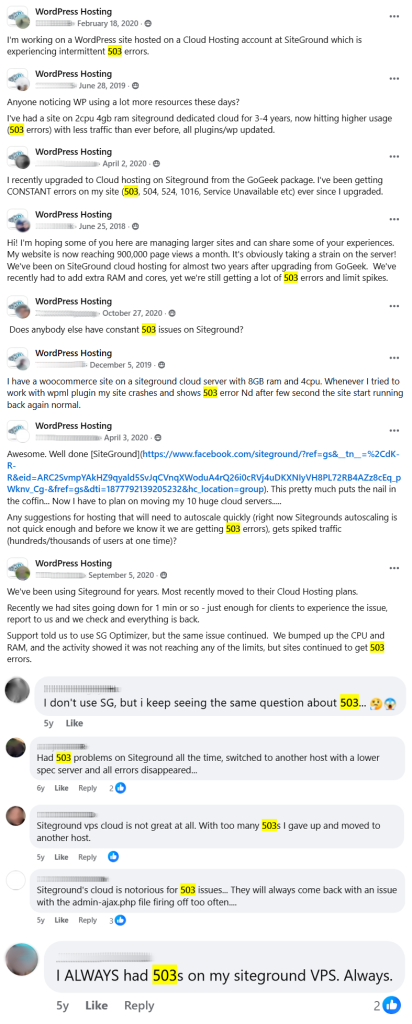
Low CPU limits cause 503 errors and high CPU usage to make you upgrade. This can be from HostGator’s slow 2012 CPUs, low cores/RAM (like Hostinger and GoDaddy), or CPU limits like Hostinger’s VPS CPU limits or SiteGround’s CPU seconds and disk I/O.
Watch for other limits like Kinsta’s PHP threads, Kinsta’s and WP Engine’s low monthly visits, staging sites with 1 CPU core, disk space/inode limits which disable backups, 1GB email storage, 1 MB/s disk IO, low PHP memory, and low MySQL/database limits.
Add-ons and product catalogs are red flags. Open source software like SSL certificates, Redis, and Nginx reverse proxy should not be sold as paid add-ons. “Managed” hosting should also include free migrations, CDN, and malware scans. And please, avoid SiteLock.
Beware of 600% higher renewals, getting charged 14 – 15 days prior to your renewal date, impossible cancellations, high renewals for other add-ons/upsells, and hosts not honoring money-back guarantees. “Billing problems” are usually bigger host’s #1 complaint!
Hostinger has pattern of suspending accounts claiming phishing/abuse, deleting data (including backups), and denying refunds. Search “suspension” or “scam” in your host’s 1-2 star reviews. SiteGround also suspends account for exceeding their resource limits.
Google blocked 2M SiteGround domains, Hostinger’s data breach impacted 14M customers, and GoDaddy’s security is so bad the FTC had to step in. WPX had a global outage because they don’t use a redundancy system and WP Engine is dealing with their lawsuit.
SiteGround dropped WordPress support, Hostinger’s support is an AI chatbot, and Elementor/NameCheap’s support are one of the most common complaints. Good technitians cost money, but that doesn’t align with private equity’s goal to increase their bottom line.
World Host Group and Newfold Digital are buying hosting companies left and right. Hostinger/Kinsta are also backed by private equity while Cloudways/SiteGround “restructured” after a growth spike. Check the lists and use small businesses who take care of you.
These hosts are usually recommended because they pay high affiliate commissions. I’m an affiliate too (I still gotta eat) but I do my best to recommend hosts based on your best interest (and after doing way too much research) without letting commissions get in the way.
Tab 2 content.
Tab 2 content.
Rocket.net
Claims to be the fastest hosting but uses 2013 CPUs and shared resources with pricey bandwidth limits. Claims to be independent, but was acquired by hosting.com.
Cloudways
Bloated, half-baked Cloudflare + Object Cache Pro integrations, and outdated Varnish cause poor performance and high CPU usage with expensive (~220%) markups.
Hostinger
Suspends accounts for phishing/ abuse, deletes data, then denies refunds. Hidden limits on their VPS, low CPU + RAM on shared, owned by ConHostinger. Fitting.
SiteGround
503 errors from low limits (especially on cloud), 600% renewals, paid migrations/CDN, and no WP support. Are people actually paying this? I left in 2019.
WP Engine
Low bandwidth, visit, and other limits means high overage fees and ongoing upgrades. Managed hosting doesn’t mean they’ll fix your site, and slow performance.
Kinsta
Inadequate resources like WP Engine with more PHP thread, PHP memory, and staging limits. Free software and resource limit upgrades are expensive add-ons.
Hosting.com
Owned by World Host Group whose been called “EIG on steroids,” owns these hosting brands (e.g. Rocket.net/A2), and laid off staff before the holidays.
GoDaddy
While there are endless reasons not to use GoDaddy, their long list of security incidents & upsells in the product catalog are 1st on the list. Migrate everything away.
Bluehost
Did Newfold finally update their hardware? Now they just need to update their TOS by removing all their low resource limits causing slow performance and upgrades.
HostGator
BBB profile is filled with scam accusations related to renewals, refunds, billing, SiteLock, and no responses. They’re slow because they use ancient CPUs from 2012.
WPX
Their “independent” fastest hosting tests are by affiliates, but they only target a <400ms TTFB. And it’s still shared hosting with no redundancy and poor uptime.
Elementor Cloud
Very poor performance/support and only 1 Belgium data center. Get your hosting from a real hosting company— not your page builder (applies to EasyWP).
NameCheap EasyWP
Between CPUs from 2019 and ~1 CPU core and ~1GB RAM on their highest plan, it’s easy to see why performance and resource usage are the two recurring complaints.
GreenGeeks
Can’t cancel and continues to auto-renew. TOS leaves many policies at their descretion— making backup, resource, and billing complaints very common.
InMotion
Downtime and performance are common complaints along with database/email issues. Backups are only taken for accounts less than 10GB and they use Apache.
Why I Use ScalaHosting’s VPS + FlyingCDN Instead
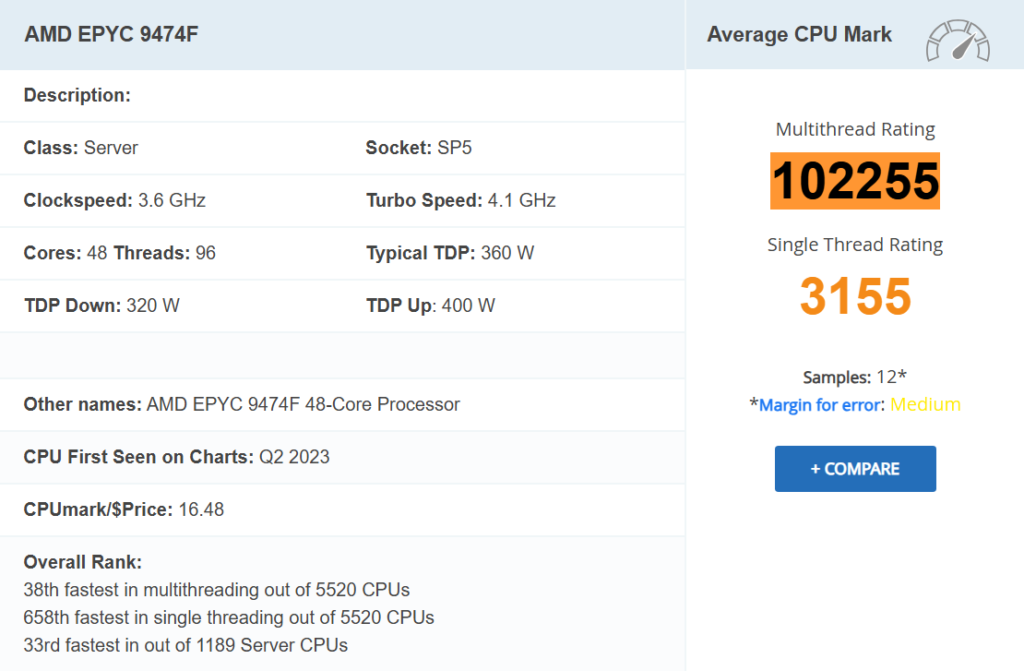
Scala’s AMD EPYC 9474F CPUs are top 3% fastest CPUs (33rd/1189) with DDR5 RAM + PCIe 5.0 NVMe SSDs. Compared to my old host (Rocket.net) who uses CPUs from 2013 ranked 432nd. No wonder my site/admin load 2x faster and every benchmark I took improved.
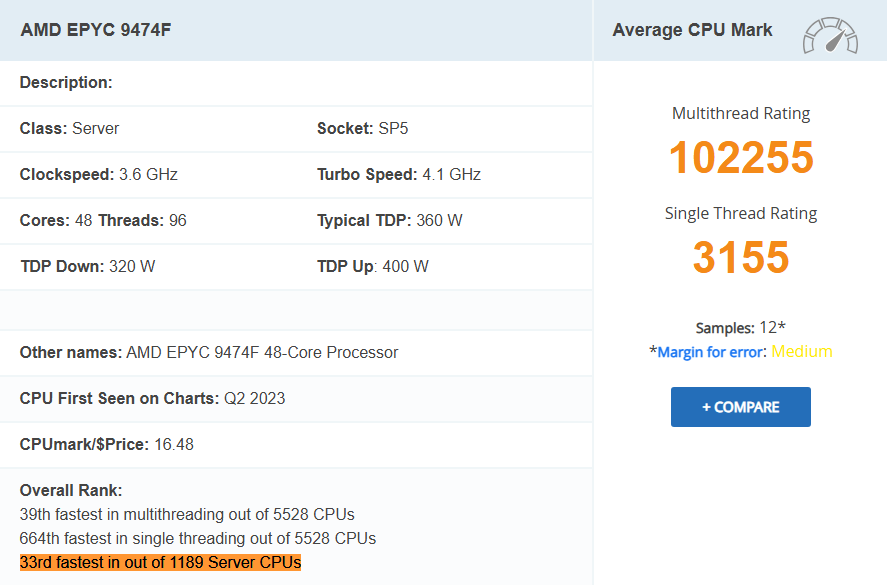
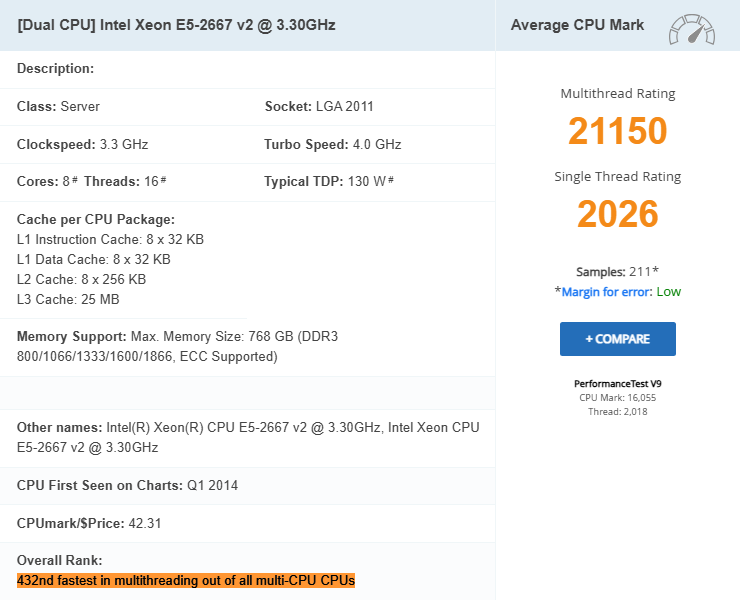
AMD EPYC 9474F CPUs have a 102255 multithread rating (~5x higher than Rocket.net’s CPUs) and are the highest I’ve seen of any host. Meaning concurrent tasks (like wp-admin speed, resource-hungry plugins, and WooCommerce checkouts) all load significantly faster.
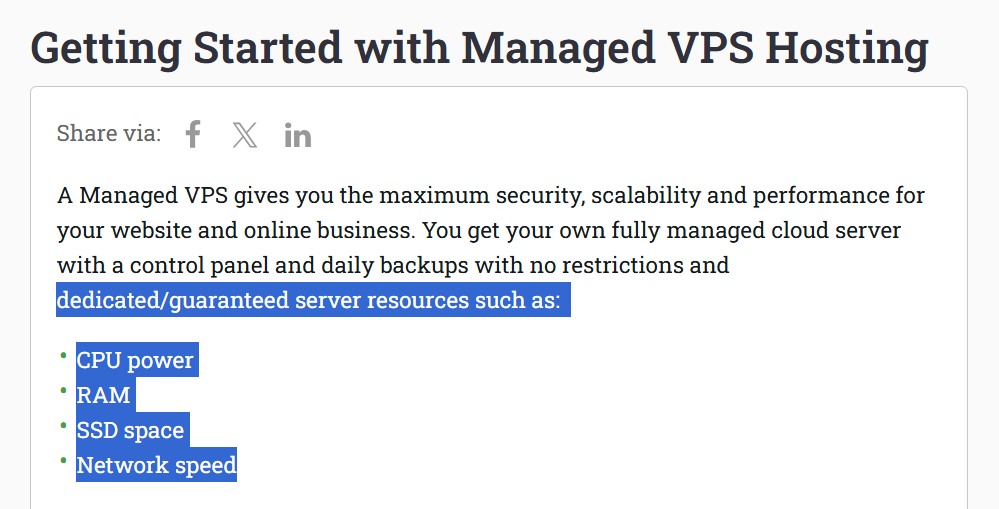
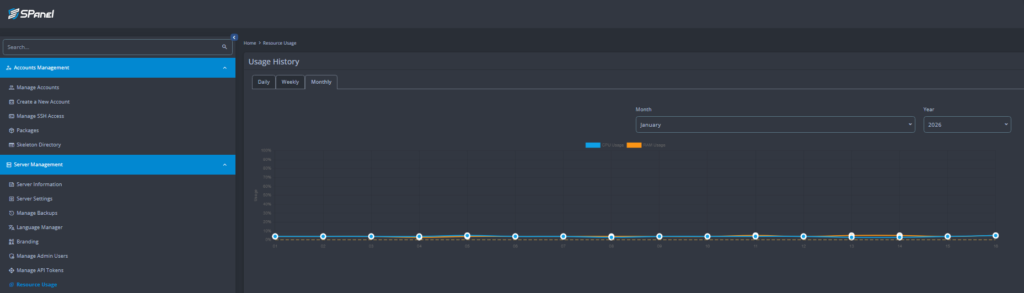
With dedicated CPU/RAM, you’re not sharing resources like even most premium hosts do (e.g. Rocket.net, Kinsta, WP Engine). After replacing Rocket’s $100/mo Business plan with Scala’s $27/mo Build #1 VPS (with just 2 CPU cores + 4GB RAM), resource usage is 10%.
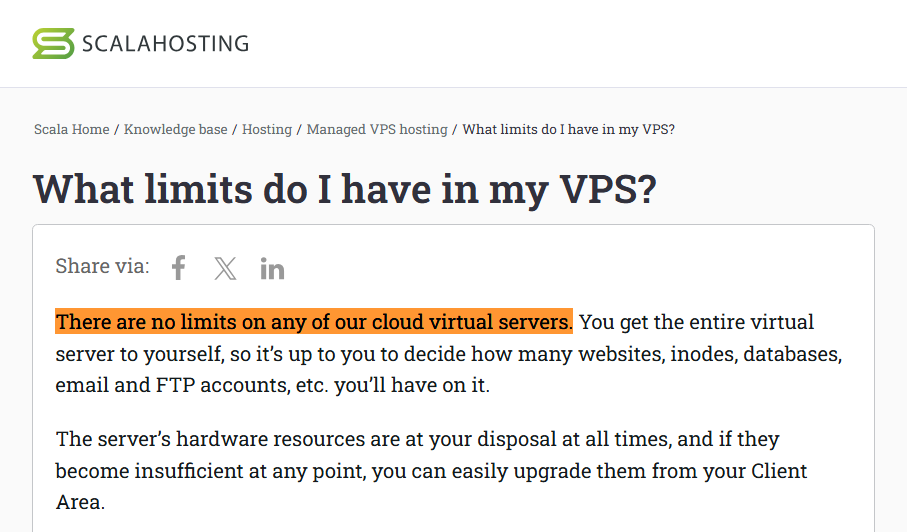
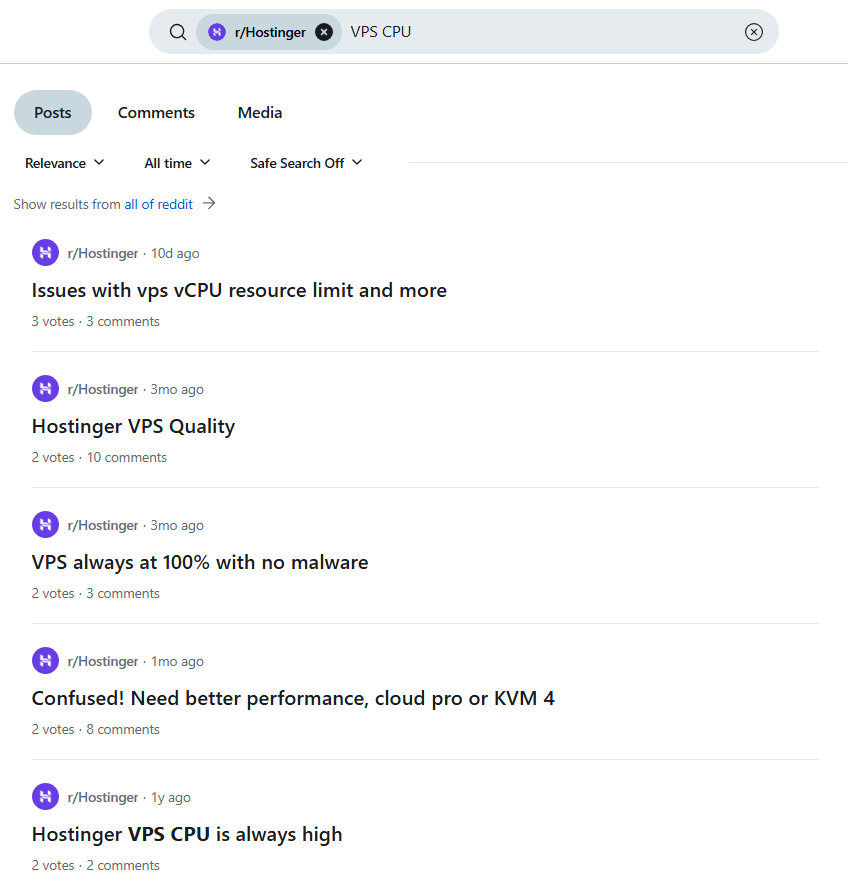
Scala’s VPS has no BS limits (unlike bandwidth/visit limits on Rocket.net + Kinsta + WP Engine) or hidden limits on CPU + disk I/O like Hostinger/SiteGround who make you upgrade from 100% CPU usage or 503 errors. And unlike Cloudways, resources scale individually.
I replaced Rocket.net’s Cloudflare Enterprise with FlyingCDN which still supports all major Cloudflare Enterprise features and promises a 50ms global latency. More importantly, it lets you use any host you want so you can prioritize fast CPUs/RAM/storage.

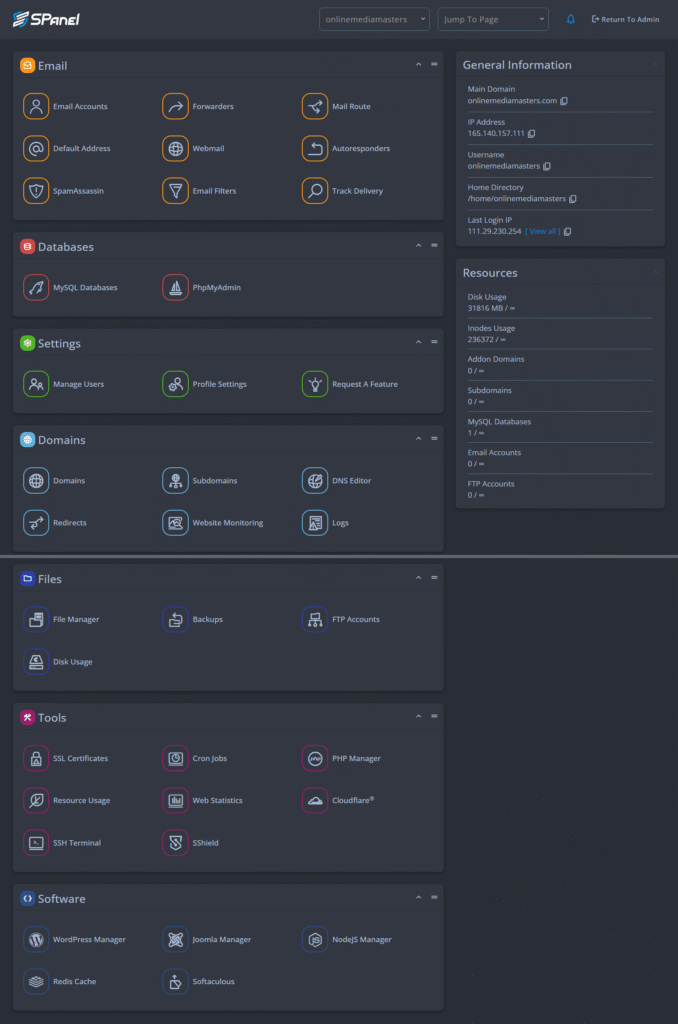
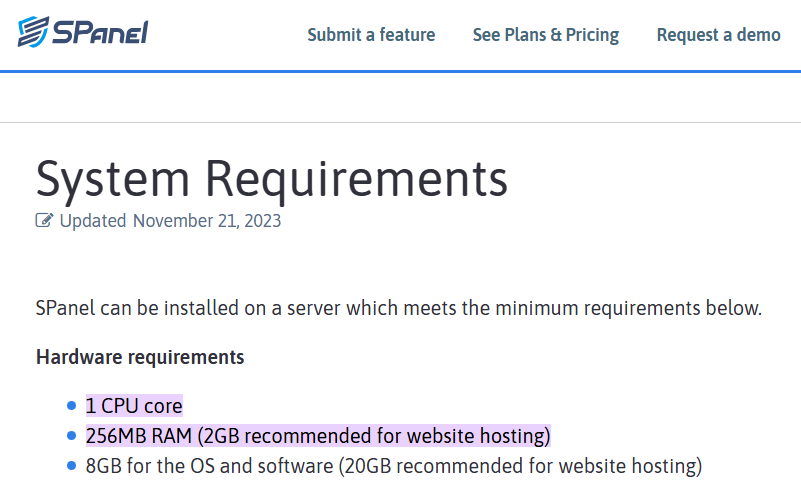
SPanel is similar to cPanel but only requires 256MB RAM vs. cPanel’s 2GB (and 1 less CPU core) without making you buy malware scans or cPanel/LiteSpeed licenses. It also supports OpenLiteSpeed, although I use/recommend Apache + FlyingPress + FlyingCDN.
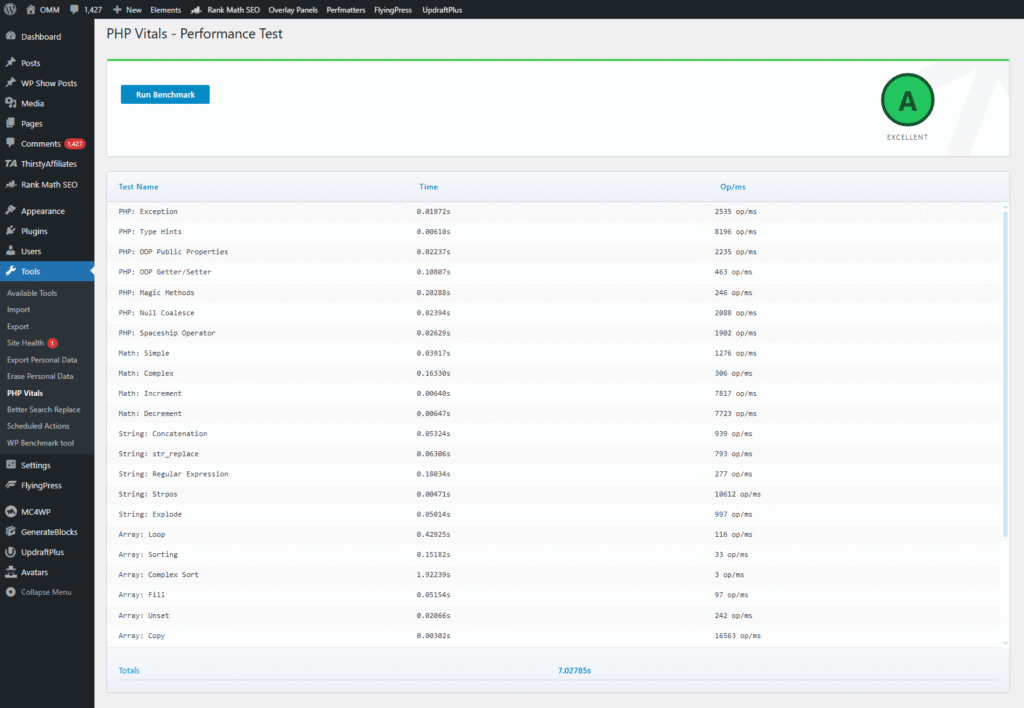
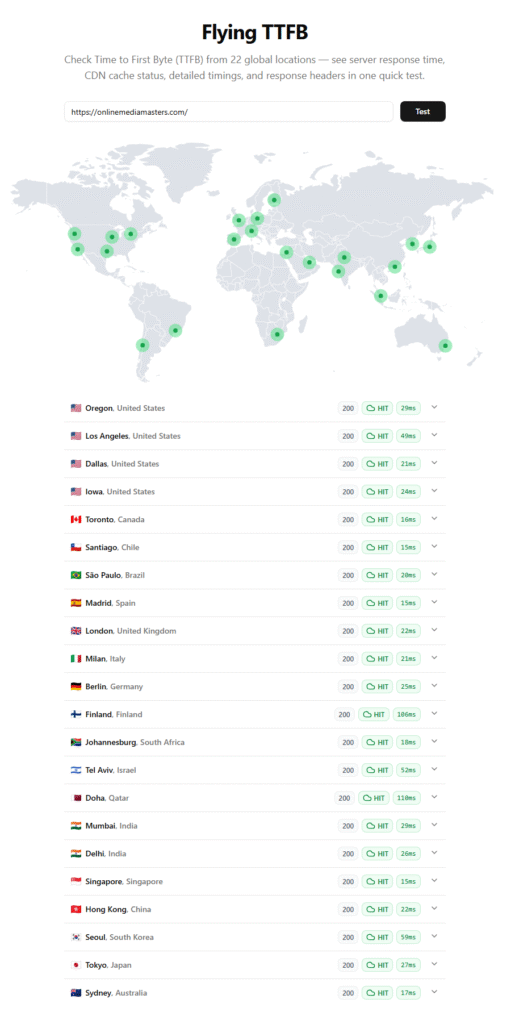
Before even setting up FlyingCDN, my wp-admin + frontend loaded ~2x faster than Rocket.net. Once FlyingCDN was set up, global TTFB averaged 50ms (previously 100ms), scores in the Hosting Benchmark plugin improved, and my PHP Vitals score went from a B to an A.
Chris and Vlad own ScalaHosting, not private equity like World Host Group (including ConHostinger and hosting.com), Newfold Digital (Bluehost), Silver Lake (WP Engine), and M-One (Kinsta). These guys are always willing to jump on a call or support ticket.

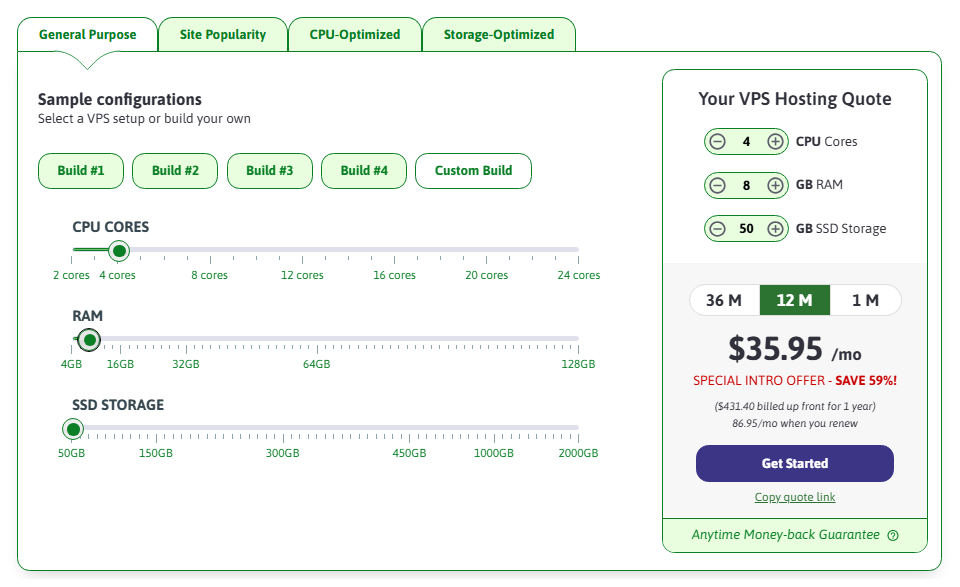
A 4 CPU core + 8GB RAM server costs $35.95/mo on ScalaHosting (with my extra 10% off code), $118/mo on Cloudways Vultr HF, and $100/mo on SiteGround’s cloud hosting. Hostinger’s VPS costs less, but gets constant 100% CPU usage from shared limits like CPU steal.
Shared plans use LiteSpeed Enterprise while Entry Cloud and VPS plans can use OpenLiteSpeed, Apache, and Nginx. For budget performance, use OpenLiteSpeed + LiteSpeed Cache + Super Page Cache. For better performance, Apache + FlyingPress + FlyingCDN.
For over a decade, I’ve steered thousands of people away from hosting conglomerates since the “how to start a blog” [insert Bluehost affiliate link] days. Today, I’m happily still doing it as both ScalaHosting (run by Chris and Vlad) and ChemiCloud are privately owned.
For over a decade, I’ve steered thousands of people away from hosting conglomerates since the “how to start a blog” [insert Bluehost affiliate link] days. Today, I’m happily still doing it as both ScalaHosting (run by Chris and Vlad) and ChemiCloud are privately owned.
If you want something more powerful than shared but aren’t ready for a full-blown VPS, Entry Cloud comes with 2 CPU cores + 2GB RAM of dedicated resources (not shared) and is still a VPS but isn’t scale (but actually has the best value in terms of price vs. resources).
I’ve steered thousands of people away from conglomerates since the “how to start a blog” [insert Bluehost affiliate link] days. I’m happy to report I’m still going strong, as both ScalaHosting and ChemiCloud are privately owned and free from private equity— a rare sighting.
Most of these include free migration(s) and have reliable support teams with higher TrustPilot ratings. ChemiCloud does 10-200 migrations, Scala Hosting does unlimited, Rocket.net does unlimited, and MechanicWeb’s varies. Vultr High Frequency is more DIY.
LiteSpeed: LiteSpeed Cache + QUIC.cloud Standard Plan. Nginx/Apache = FlyingPress + Cloudflare APO (or a proper integration of Cloudflare Enterprise).
Tab 2 consdffdsfsdfsddasfdfastent.
Tab 2 consdffdsfsdfsddasfdfastent.
VPS
Build a VPS similar to Cloudways on a more lightweight + optimized stack at ~70% the price and better performance vs. Rocket.net. Scale CPU/RAM/storage granularly with no hidden limits or ‘jumping plans.’
Entry Cloud
A small VPS with 2 CPU cores + 2GB RAM, but can’t scale CPU cores/RAM (only storage) which is why I would lean towards the VPS which can scale everything in case of extra traffic and resource usage.
Shared Plans
Shared plans still use their high performance stack with fast CPUs + LiteSpeed Enterprise, but share CPU/RAM. A big upgrade from shared hosts who use low limits, cPanel, and unspecified hardware.
CDNs
Your CDN should have PoPs (points of presence) close to users and a fast data transfer rate measured in terabytes per second (Tbps) which are usually listed on the CDN’s network page. A larger/faster network generally means less latency and faster TTFB.
Dynamic caching can improve TTFB by 72%. Most CDNs (like QUIC.cloud and Cloudflare APO) use dynamic caching. You can also use the Super Page Cache plugin which offers free dynamic caching through Cloudflare using the “cache everything” page rule.
Smart routing can reduce TTFB by another 33%. This monitors real-time traffic congestion and directs traffic through the fastest network paths (like a GPS) and is especially good for dynamic/WooCommerce sites. Cloudflare Argo and QUIC.cloud support this.
Unlike image optimization plugins, CDNs optimize images without adding plugin overhead or using server resources. Many image CDNs can also dynamically resize images for mobile devices/browsers. Which means more optimizations and a lighter load on your server.
Cloudflare Enterprise has extremely powerful performance/security features for WooCommerce/dynamic sites. I recommend FlyingCDN since you can use any hosting company you want without being tied to slow hardware and poor resource limits.
Most hosting CDNs (including Cloudflare integrations and SiteGround’s CDN) offer significantly less features compared to setting up Cloudflare directly. You’re usually losing access to hundreds of Cloudflare features as well as access to your Cloudflare dashboard.
Besides hosting, Google lists CDNs as the #2 way to improve TTFB. Since TTFB is 40% of LCP (and part of FCP), CDNs play a huge role in optimizing core web vitals. Plus, who doesn’t want their site loading fast nearly everywhere in the world? Choose your CDN wisely.
Tab 2 content.
Cloudflare Enterprise
WooCommerce/dynamic sites greatly benefit from Argo Smart Routing, priority routing, bot mitigation, and Enterprise WAF. But not all integrations are equal.
Cloudflare
Massive network of 330 PoPs + 388 Tbps data transfer rates. Set up manually (not through your hosting) to ensure you have full access your dashboard/features.
QUIC.cloud
LiteSpeed’s CDN is often top 3 on CDN Performance Checker with native dynamic caching, page/image optimizations, and HTTP/3. Use the standard plan.
FlyingCDN
Use Cloudflare Enterprise with any host you want. Supports all major features and promises a 50ms global latency. Just make sure you’re using FlyingPress.
RocketCDN
Uses BunnyCDN, but adds no benefit compared to setting up BunnyCDN directly (other than the extra convenience). Doesn’t specify bandwidth limits either.
SiteGround CDN
Limited optimization/security features, yet costs more than FlyingCDN. Makes you use SiteGround’s DNS which was previously blocked by Google.
Optimization Plugins
FlyingPress
#1 in optimizing core web vitals according to Chrome’s UX Report and uses Cloudflare Enterprise. More features/optimizations vs. WP Rocket which I left years ago.
LiteSpeed Cache
Free cache plugin for LiteSpeed servers. Learn to configure the settings and set up QUIC.cloud (or Cloudflare full page caching) with object cache via your host.
Perfmatters
When using FlyingPress or LiteSpeed Cache, you mainly want this for the script manager to disable plugins on specific pages/posts (reducing CSS/JS).
Database Cleaner
Cleans up the database junk cache plugins can’t: delete unused plugin tables, detect plugin autoloads, and repair corrupted or damaged tables.
WP Rocket
Compare their changelog to FlyingPress’ and you’ll see WP Rocket is following their tracks. Which explains why both their cache plugin and CDN are slower.
SiteGround Optimizer
4/5 star rating due to lacking features + compatibility issues. Get your hosting from a hosting company, and your optimization plugin from reliable developers.
NitroPack
Delivers a stripped-down version of your site to manipulate scores, but not ideal for real users. Even with manipulation strategies, it fall behinds FlyingPress in CrUX.
W3 Total Cache
I have a soft spot for this plugin since this guide is how my blog got popular (645+ comments)! But since FlyingPress/LSC came along, it’s not the best option :/
Full List
Overkilled list of 50+ speed plugins. Which ones you need (and don’t need) largely depend on which hosting/cache plugin you use. So choose both wisely.
Core Web Vitals
LCP
Learn the 4 LCP sub-parts and how to optimze above the fold images, TTFB, and your entire site for better LCP. The core web vital people struggle with most.
CLS
Prevent elements from shifting on your site which is often fixed by tweaking CSS/font settings, CSS animations, preloading local fonts, and by delaying JavaScript.
TBT
Blocking time is usually from JavaScript added by plugins, themes, and third-party code (including jQuery). Remove it from the source or optimize it.
TTFB
KeyCDN’s Performance Test and SpeedVitals test TTFB in multiple locations. A good host and CDN (with dynamic caching and smart routing) the ticket for a fast TTFB.
Third-Party Code
Fonts, Gravatars, analytics tracking codes, and other third-party code should be hosted locally or delayed, especially when they load below the fold.
Image Optimization
Optimize LCP, mobile, and background images. Image CDNs generally do a better job compared to plugins, and they also don’t use server resources.
Page Builders
Speed Up Elementor
Enable performance settings, remove wp-block-library, and exclude Elementor files when removing unused CSS/delaying JavaScript in your cache plugin.
Speed Up Divi
Similar to Elementor’s tutorial only specific to Divi. However, both page builders add extra CSS/JS— especially when you add extra page builder plugins.
GeneratePress
Why I used GeneratePress + GenerateBlocks to redesign my site and how it fixed several design/speed issues I’ve been having (cheaper than Kadence).
tom dupuis
Why I Do What I Do
To earn my living by clearing the air in an industry full of misinformation and claims of the “fastest” WordPress hosting.
I’ve telling people to leave Bluehost/GoDaddy since 2015 by steering them to SiteGround, then Cloudways, then Rocket.net, and now Scala.
But every host that “blows up” seems to get acquired and/or goes downhill. Which is why I’m always changing my recommendations.
Fun fact. My blog traffic nearly tripled after writing my tutorial on W3 Total Cache + MaxCDN in 2013. I’ve already been keen on maximing performance no matter if it’s your hosting, cache plugin, or your CDN.
In my free time, I box, do yoga, and love getting outdoors in the beautiful state of Colorado. I also love a good Red Rocks concert.